note · docker
Pushkar Kumar 10 min read
When to Use Docker Compose Instead of docker run
Which one to reach for, and what actually changes when you switch — default network, restart policy, detached mode — plus Compose back to a run line.
On this page
- The same container, two ways
- What docker run is good at
- What Compose buys you: when to use Docker Compose
- Going the other way: Compose to docker run
- Where the flag-by-flag mapping lives
- Pitfalls when migrating
- The implicit default network
- Restart policy differences
- env_file vs -e
- Detached mode
- Convert both directions instantly
You started a Postgres container three weeks ago with a docker run one-liner. It works. Then you reboot the box, or a teammate needs the same setup, or you want the command in version control — and you realize the only copy of that command is in your shell history, somewhere between an ls and a kubectl get pods. This is the moment the docker run vs docker compose question stops being academic. The container is fine; the way you launched it is not reproducible.
This guide is about the choice, not the mechanics: when docker run is still the right call, when a docker-compose.yml earns its keep, what actually changes in behavior once you switch, and how to turn a Compose service back into a single run line when you need one.
Looking for the flag-by-flag mapping instead? How to Convert a docker run Command to docker-compose.yml is the full reference — every docker run flag and the docker-compose.yml key it becomes, with the gotchas that bite when you translate by hand. This post asks the question that comes before it: should you convert at all, and what changes when you do.
The same container, two ways
Here is a real Postgres container expressed as a docker run command:
docker run -d --name db \
  -e POSTGRES_PASSWORD=secret -e POSTGRES_DB=app \
  -p 5432:5432 \
  -v pgdata:/var/lib/postgresql/data \
  --restart unless-stopped \
  postgres:16
And here is the exact same container as a Compose service:
services:
  db:
    image: postgres:16
    container_name: db
    ports:
      - "5432:5432"
    volumes:
      - pgdata:/var/lib/postgresql/data
    environment:
      - POSTGRES_PASSWORD=secret
      - POSTGRES_DB=app
    restart: unless-stopped
Same image, same ports, same named volume, same restart policy. The difference is not what runs — it is whether the definition lives in your shell history or in a file you can commit, review, and run again with one command. Note the quotes around "5432:5432": YAML would otherwise read a bare 5432:5432 as a sexagesimal (base-60) number, which is one of the small bugs hand-conversion loves to introduce.
What docker run is good at
docker run wins for anything throwaway. You want a one-shot psql client, a quick Redis to poke at, a base image to drop into for debugging — you do not want to author a YAML file for that.
# poke at a fresh redis for thirty seconds
docker run --rm -it redis:7-alpine redis-cli

# debug inside an image without leaving anything behind
docker run --rm -it -v "$PWD":/work -w /work ubuntu:24.04 bash
The --rm flag matters here: the container deletes itself on exit, so you do not accumulate dead containers from experiments. That is a genuinely docker run-shaped concern — and notably, --rm has no Compose equivalent at all, because Compose manages container lifecycle for you. If you paste a command with --rm into a converter, the honest thing to do is drop it with a warning rather than pretend it maps to something. That is exactly what the converter does.
The same goes for -d / --detach. Detached mode is a property of how you launched the process, not of the service definition, so it does not belong in the YAML either. We will come back to that in the pitfalls section, because it trips people up in both directions.
What Compose buys you: when to use Docker Compose
Reach for Compose the moment any of these is true — and “when to use Docker Compose” usually comes down to this list:
- You will run this container more than once and want it reproducible.
- You want the definition in version control and reviewed in a PR.
- You have more than one container that needs to come up together.
- You are tired of remembering a 200-character command.
A Compose file turns a wall of flags into a reviewable document and a single lifecycle:
docker compose up -d     # start everything, detached
docker compose down      # stop and remove everything
docker compose logs -f   # tail every service
Multi-service is where the gap really opens. Two docker run commands that need to talk to each other force you to hand-manage a network, start them in the right order, and remember both lines. Compose makes the relationship declarative:
services:
  api:
    image: myorg/api:1.4.0
    ports:
      - "3000:3000"
    environment:
      - DATABASE_URL=postgres://db:5432/app
    depends_on:
      - db
  db:
    image: postgres:16
    environment:
      - POSTGRES_DB=app
The api service reaches the database at the hostname db with zero extra wiring. That is the implicit default network doing its job — more on that below. And because the whole thing is a file, you can lint the CI that builds and ships it; if your pipeline runs docker compose up in a job, the GitLab CI Validator will catch a malformed .gitlab-ci.yml before the runner does.
Going the other way: Compose to docker run
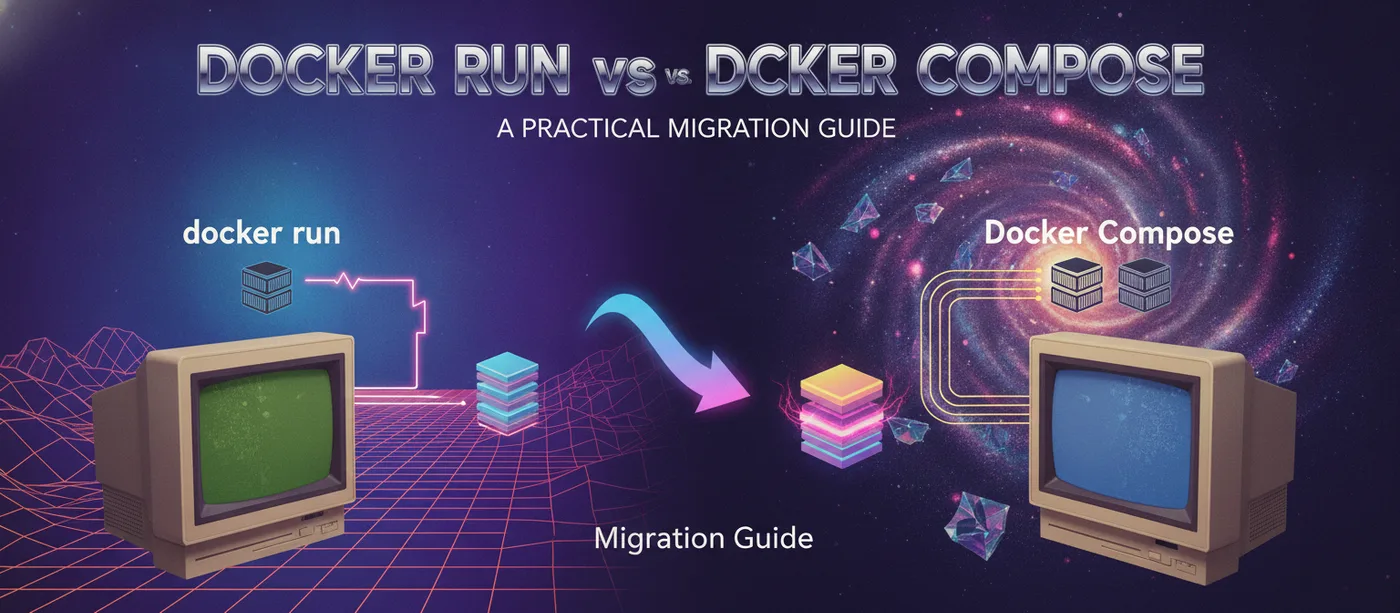
Migration is not a one-way street. You will hit cases where you have a Compose service but need a single docker run line:
- A teammate on a box without your Compose file, who just needs the container up now.
- A support ticket or runbook where one copy-paste command beats “clone the repo, then run compose.”
- A constrained CI step or remote host where pulling the whole project is overkill.
Converting a compose service to docker run is mechanical but fiddly to do by hand. Take the Redis service with a healthcheck:
services:
  cache:
    image: redis:7-alpine
    container_name: cache
    ports:
      - "6379:6379"
    mem_limit: 256m
    labels:
      - app=web
    healthcheck:
      test: "CMD-SHELL redis-cli ping"
      interval: 10s
      timeout: 3s
      retries: 5
The equivalent command rebuilds every field — and crucially, it is emitted detached by default, because a long-lived service is almost never something you want hogging your terminal:
docker run -d --name cache -p 6379:6379 -m 256m \
  -l app=web \
  --health-cmd 'redis-cli ping' \
  --health-interval 10s --health-timeout 3s --health-retries 5 \
  redis:7-alpine
The healthcheck block expands back into the discrete --health-* flags; mem_limit becomes -m; labels become -l. The converter prepends docker run -d for you precisely because the service was meant to run in the background. The one thing to watch: Compose-only keys like depends_on, build, and deploy have no command equivalent, so a faithful converter reports them as warnings rather than inventing flags that do not exist. If your service has build:, you run docker build first and feed the resulting tag to docker run.
Where the flag-by-flag mapping lives
Once you have decided to migrate, the translation itself is mechanical: every docker run flag either has a docker-compose.yml key, or it has none and gets dropped with a warning. The full mapping — -p to ports, -v to volumes, --network host to network_mode, the --health-* flags to a healthcheck block, and the rest — is written out with a worked example in How to Convert a docker run Command to docker-compose.yml. Read that one when you are holding a specific command; read this one when you are deciding whether to convert it at all.
One migration-level caveat the mapping table cannot express: a converter should not invent a top-level networks: section you did not ask for. --network backend shows up under the service, exactly as named. If backend is a network you created with docker network create, you will need to declare it as external at the top level yourself — the tool won’t guess at infrastructure you didn’t write down. That restraint is the point; a converter that hallucinates structure is worse than one that converts only what you gave it.
Pitfalls when migrating
The flags themselves map cleanly. The behavior around them is where migrations quietly go wrong.
The implicit default network
A bare docker run with no --network attaches the container to the default bridge network, where containers reach each other only by IP. Compose is different: it creates a project-scoped network and puts every service on it, so services resolve each other by service name (db, api) out of the box. That is usually what you want — but it means a docker run that talked to 172.17.0.3 needs to start talking to db once it is a Compose service. Migrating the flag is easy; migrating the assumption that “there’s one flat bridge” is the part that bites.
Restart policy differences
--restart maps straight across — no, always, on-failure, and unless-stopped all carry over to restart: unchanged:
restart: unless-stoppedThe subtlety: with docker run, the restart policy is the only thing keeping your container alive across a daemon restart. With Compose, the same restart: value applies, but you also get docker compose up/down as an explicit lifecycle. Don’t assume restart: always means “Compose will bring this back after I run down” — down removes the container regardless. The restart policy governs crashes and reboots, not your own teardown commands.
env_file vs -e
Inline -e KEY=value flags become an environment: list, and --env-file path becomes env_file:. They are not interchangeable:
services:
  api:
    image: myorg/api:1.4.0
    env_file:
      - .env.production
    environment:
      - NODE_ENV=production    # wins over the same key in env_file
Inline values are visible in the file and in docker inspect; an env_file keeps secret-bearing values out of the YAML and out of your shell history. When you migrate, this is a good moment to move secrets from -e flags into an env_file. While you’re there, make sure the committed .env.example actually matches the keys your service reads — the Env Example Checker diffs a real .env against its example so a missing key doesn’t surface as a crash on a fresh checkout.
Detached mode
-d / --detach does not exist in a Compose file, because detaching is a launch-time choice, not a property of the service. Going docker run → compose, the -d is dropped (you run docker compose up -d instead). Going compose → docker run, a faithful converter adds -d back, because a service definition almost always describes a long-running process. Both behaviors are correct; they just look asymmetric until you see why. If you find a stray -d “missing” from generated YAML, that is the tool being right, not losing your flag.
Convert both directions instantly
Doing this by hand is fine for one container. It stops being fine when you are translating a wall of -p, -v, and -e flags under time pressure and a mis-nested list or an unquoted port slips through.
The Docker Run to Compose converter does the mechanical part both ways: paste a docker run command to get the equivalent docker-compose.yml service, or paste a Compose service to rebuild the run line — including ports, volumes, environment, networks, capabilities, resource limits, and healthchecks. It tells you about the flags and keys that genuinely don’t map instead of dropping them silently, and it runs entirely in your browser, so commands that name private registries or carry secret-bearing environment variables never leave the tab.
Migrate the command, read the warnings, commit the file.
Related posts
-
10 min read
How to Convert a docker run Command to docker-compose.yml
Convert any docker run command to a docker-compose.yml service, flag by flag — ports, volumes, environment, restart and more. A practical, copy-paste guide.
-
10 min read
Kubernetes Service has no endpoints: find the selector bug
A Kubernetes Service has no endpoints, or a Deployment says selector does not match template labels? One bug, two symptoms, and how to trace both to a fix.
-
7 min read
failed to solve: did not complete successfully: exit code 1
BuildKit tells you which line failed but not why. How to read the error, get the real output back, and fix the four structural causes behind most of them.